
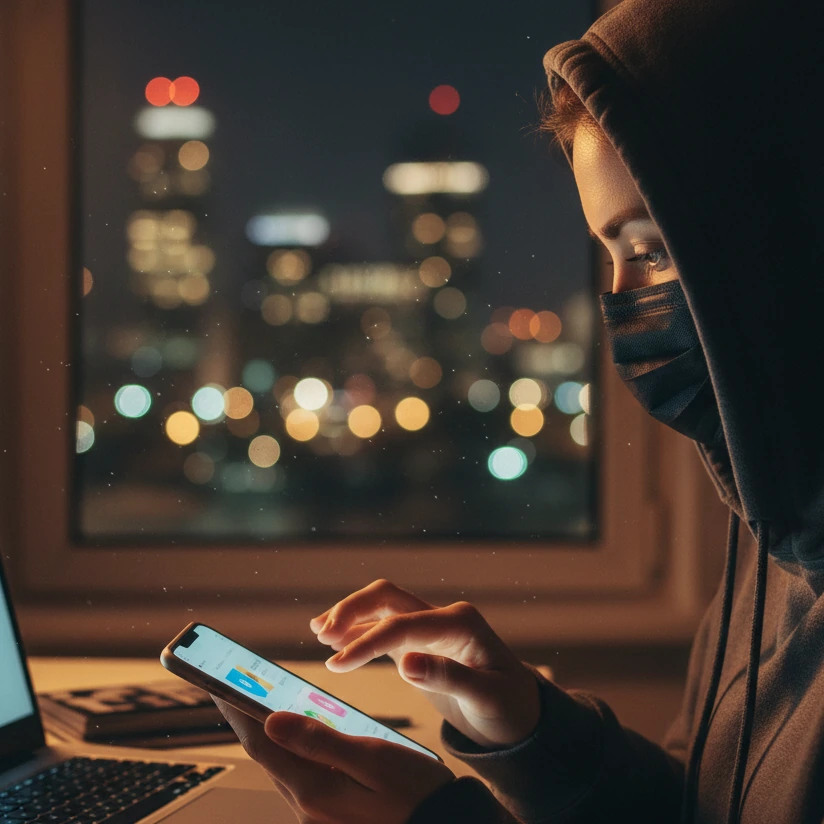
How to Grow Your Anonymous Creator Instagram: A Privacy-Focused Marketing Guide
Why Instagram is a Powerful Tool for Anonymous Content Creators
If you're building a presence on platforms like OnlyFans, Fansly, or ManyVids, the thought of using Instagram might initially spark anxiety. Concerns about privacy, slow growth, or potential exposure are valid. However, when leveraged strategically, Instagram transforms from a risk into your most potent marketing asset. It serves as a public-facing gateway where you can cultivate intrigue, build a loyal community, and systematically drive traffic to your paid content—all while meticulously protecting your anonymity. Understanding its unique advantages is the first step toward sustainable growth as an anonymous creator.
Addressing the Core Hesitations Head-On
Many creators hesitate due to two primary fears: the fear of being discovered and the fear of investing time without results. Let's dismantle these. First, Instagram's design allows for complete brand separation from your personal identity. You can create a business or creator account with a dedicated email, a pseudonym, and content that focuses on aesthetics, themes, or specific skills rather than your face. Second, while growth requires patience, Instagram's algorithmic tools like Reels and the Explore page offer unprecedented opportunities for organic reach that niche platforms like Reddit may not consistently provide. The key is to view Instagram not as a diary but as a curated magazine for your brand.
The Unmatched Strategic Value of Instagram
Instagram's power lies in its scale, features, and culture of discovery. Here’s a breakdown of its core advantages:
- Massive, Diverse Audience: With over 1 billion monthly active users, your potential audience is vast. Unlike dedicated adult platforms, Instagram lets you tap into mainstream interest in niches like fitness, fashion, wellness, or ASMR, which can be seamlessly redirected to your paid content.
- Visual Storytelling and Curiosity Building: The platform is inherently visual, perfect for creating suggestive, high-quality teasers. You can showcase lingerie, demonstrate a yoga pose, or share a relaxing ASMR snippet—all without revealing your face. This builds a "want-to-know-more" impulse that drives clicks to your link.
- Algorithm-Friendly Features for Viral Growth: Instagram prioritizes content from Reels and Stories. By creating engaging, short-form video content (Reels) around your niche—like a trending audio clip over a suggestive visual—you can appear on the Explore page to thousands of non-followers. This is a primary growth engine.
- Direct Traffic Funneling Tools: Instagram provides built-in mechanisms to move followers off the platform:
- The Link in Bio is your permanent landing spot. Using tools like Linktree or Beacons, you can list multiple destinations: your OnlyFans, Fansly, ManyVids, or a custom landing page.
- Instagram Stories allow for "Swipe Up" links once you reach 10,000 followers, or you can use the "Link Sticker" at any follower count to direct traffic instantly.
- Effective Call-to-Actions (CTAs) in captions ("Check my exclusive content via the link!") guide user behavior.
Real-World Examples of Anonymous Success
Consider niches where the creator's identity is secondary to the content's value. For instance, a creator focusing on "spine mobilization" or flexible yoga flows can film from angles that emphasize the body's movement, not the face. Another might create luxurious lingerie flat lays or POV (Point-of-View) style videos where the camera acts as the viewer's perspective. These approaches perform well because they offer specific value or fantasy, which is exactly what platforms like OnlyFans and Fansly monetize.
Practical Do's and Don'ts for Getting Started
To immediately leverage Instagram's advantage while staying safe, follow these guidelines:
- DO define a clear niche. Double down on what works. If a "spine mobilization" video performed best, create a series: "Mobility Monday" or "Flexibility Tips." Consistency in theme helps the algorithm and audience recognize you.
- DO use Instagram's native editing and privacy features. Before posting, use the built-in blur tool in Stories or the "Hide from Profile" option for certain posts to control your grid aesthetic.
- DON'T wait for a large following to add your link. Start driving traffic from day one. Even a small, engaged audience can convert into paying subscribers. Your link-in-bio is a non-negotiable part of your profile.
- DON'T ignore Instagram's Community Guidelines. Avoid posting explicitly sexual content. Your Instagram is the tease; the payoff is on your paid platforms. This keeps your account safe and compliant.
- DO invest in basic anonymization tools for peace of mind. For any content where a stray reflection or mark might appear, have a reliable tool on hand. Common examples include:
- InShot or CapCut: Mobile video editors with easy blur, pixelate, or sticker tools to cover identifiable features.
- Adobe Photoshop Express or AirBrush: For photos, these apps can seamlessly remove tattoos, birthmarks, or background details.
- Background Blur Apps: Tools like AfterFocus or portrait mode on smartphones to keep the focus on you while obscuring your surroundings.
By reframing Instagram as your primary audience-building engine, you overcome the limitation of relying solely on platform-specific discovery. It allows you to build a brand rooted in your content's appeal, not your identity, creating a sustainable funnel to your revenue-generating profiles on OnlyFans, Fansly, ManyVids, and beyond. The subsequent sections will guide you through optimizing every element of this strategy, from your profile to your content calendar.
Optimizing Your Profile for Trust and Discovery (Without Revealing Your Identity)
Your Instagram profile is your digital storefront. For an anonymous content creator, it's the crucial first impression that must balance intrigue with safety, compelling visitors to follow and eventually subscribe to your paid platforms like OnlyFans or Fansly. A well-optimized profile builds trust through professionalism and clarity, while cleverly masking your identity. Let's break down each element, from your username to your link-in-bio, with concrete, actionable steps.
Crafting Your Anonymous Bio: The Art of the Tease
Your bio has 150 characters to spark curiosity and communicate value. Avoid being overly cryptic or explicitly promotional. Instead, hint at the experience you offer. For example, if your niche is wellness and flexibility, a bio like "✨ Unlock your body's potential | Exclusive mobility guides & serene moments 🔗" works well. Use relevant emojis to add personality and break up text. Never include personal details like your real name, location, or birthday. If you want to signal your content type subtly, consider adding a disclaimer such as "18+ only" or "Adult content creator" using the 🚫 or 🔞 emojis, but ensure it aligns with Instagram's guidelines to avoid being flagged.
Choosing a Secure and Memorable Username
Your username (@handle) is your primary identifier across social media. It should be brandable, easy to remember, and consistent with your other platforms to make you easily searchable. Ideally, secure the same handle on your paid platforms like OnlyFans or Fansly to create a seamless brand. Avoid using numbers or underscores that look spammy, and steer clear of handles that might accidentally link to your personal life. For inspiration, look at how successful anonymous creators blend themes: for example, @FlexibleVibe, @SilhouetteDreams, or @MysteryMotion. Use Instagram's search to check availability and ensure it's not already associated with someone else.
Selecting a Profile Picture That Intrigues
Since you're not showing your face, your profile picture must still be engaging and high-quality. It sets the aesthetic tone for your entire feed. Effective options include:
- A carefully cropped body shot: Focus on lips, neck, hands, or a silhouette against a light source.
- An object or aesthetic symbol: A piece of lingerie, a mask, a flower, or a color palette that represents your brand.
- A logo or text-based image: If you have a brand name, create a simple, elegant graphic using tools like Canva or Adobe Spark.
Mastering the Link-in-Bio: Your Conversion Command Center
This is arguably the most critical element. Never wait to add your link until you have a large following. From day one, your link-in-bio should be active, guiding curious followers to your monetized content. Use a link-in-bio service to create a customizable landing page with multiple links. This allows you to promote your primary paid platform while also linking to others, a tip jar, or a newsletter. Popular, reliable tools include:
- Linktree: The most well-known option; free tier available, easy to set up.
- Beacons: Offers advanced analytics and customizable pages tailored for creators.
- Shorby: Focuses on link optimization and swipe-up features for Stories.
- Later's Linkin.bio: Integrates with your Instagram feed visually, turning posts into clickable links.
- Campsite: Provides a clean, mobile-friendly page with multiple link options.
Practical Do's and Don'ts for Profile Safety
To maintain anonymity while optimizing for growth, follow these guidelines:
- DO use a dedicated email address for this Instagram account, separate from any personal accounts.
- DO enable two-factor authentication in Instagram's settings for added security.
- DO review your tagged photos and settings to ensure no one can tag you in compromising posts.
- DON'T connect this Instagram to your personal Facebook account or use a phone number linked to your real identity.
- DON'T use location tags or geotags on your posts or stories that could reveal your city or neighborhood.
- DO periodically audit your profile through a private browser window to see exactly what the public sees.
Developing a Winning Content Strategy: Finding and Leveraging Your Niche
With an optimized profile as your foundation, the next critical step is building a content engine that consistently attracts and engages your target audience. For an anonymous creator, your content strategy is your primary vehicle for storytelling and desire-building. It’s not just about posting regularly; it’s about identifying a specific angle—your niche—and delivering such compelling value within it that followers are eager to see more on your paid platforms like OnlyFans or Fansly.
How to Identify Your Profitable Niche
Your niche is the intersection of what you enjoy creating, what you can create safely and anonymously, and what an audience is actively seeking. Start by analyzing your own early content. As highlighted in the original creator's example, if a "spine mobilization" video performed best, that's a powerful signal. This suggests an audience interested in flexibility, wellness, and suggestive movement. From there, you can expand into related sub-niches: yoga flows, ASMR stretching, athletic recovery, or sensual fitness. To research further, use tools like:
- Instagram's Explore Page: Search relevant keywords (e.g., "flexibility," "sensual yoga") and analyze the top-performing Reels and accounts.
- Keyword Tools: Use Google Trends or free versions of AnswerThePublic to see what people are searching for around your interests.
- Competitor Analysis: Observe successful anonymous creators on platforms like ManyVids or LoyalFans to see how they theme their public content.
Building Content Pillars for Consistency
Once your niche is defined, establish 3-5 content pillars—thematic categories that will structure your feed. This prevents creative block and ensures a balanced, interesting profile. For a "mobility and wellness" niche, pillars could be:
- Educational Tips: Short Reels demonstrating a specific stretch or explaining a mobility concept.
- Aesthetic Moments: High-quality, moody photos or videos focusing on form, lines, and lighting (e.g., silhouettes).
- Behind-the-Scenes/Teasers: More suggestive, POV-style content that hints at the exclusive material on your OnlyFans or Fansly.
- Community Engagement: Polls in Stories asking followers what stretch they need, or Q&A sessions about wellness.
Crafting Your Anonymous Aesthetic
Your visual aesthetic is a non-verbal communication of your brand. It builds recognition and quality perception. Decide on a cohesive color palette, filter style, and composition rules. For instance, you might use warm, dim lighting and close-up shots to create intimacy. Use consistent editing apps to maintain this look, such as VSCO for filters, Lightroom Mobile for presets, or Canva for graphic overlays. Every piece of content, even with your identity hidden, should feel like part of a curated collection.
Practical Do's and Don'ts for Content Creation
- DO double down on what works. If a specific type of Reel gets high reach, create variations on that theme. The algorithm rewards consistency in topic and format.
- DO prioritize video content, especially Reels. Instagram's algorithm heavily promotes Reels. Convert your best niche ideas into engaging, short videos set to trending audio.
- DON'T post explicitly adult content on Instagram. This violates Community Guidelines and risks account deletion. The "tease" should be in the suggestion, not the explicit action.
- DON'T neglect captions. Use captions to tell a micro-story, ask a question, or provide context. This boosts engagement, which signals the algorithm to promote your post.
- DO conduct a final privacy check before posting any photo or video. Scan for identifiable marks, reflections in mirrors or glasses, and distinctive background items. Use your anonymization tools diligently.
A sharp, niche-focused content strategy turns your Instagram from a random photo dump into a powerful magnet. It attracts a specific audience primed to appreciate the exclusive, monetized content you offer elsewhere. By becoming a reliable source of value in your chosen corner of the internet, you build the authority and desire necessary to drive subscriptions. Need personalized guidance defining your niche and content plan? Our team specializes in strategy for anonymous creators. Reach out discreetly via WhatsApp, Telegram, or email for a confidential consultation.
Essential Privacy & Production Tools for Safe Content Creation
For an anonymous creator, your content workflow must have a dual focus: producing high-quality, engaging material and executing an ironclad privacy check. A single oversight—a recognizable tattoo in a reflection, a unique piece of jewelry, or a distinct voice—can compromise your anonymity. Building a reliable toolkit is not optional; it's your first line of defense. This guide covers legitimate, effective tools for anonymization, editing, and secure storage, ensuring you can create with confidence and peace of mind.
Building Your Anonymization Toolkit: Blur, Obscure, and Remove
This is your most critical category of tools. They are used in post-production to permanently erase identifiable features from your photos and videos. Never rely on simple cropping or hoping something goes unnoticed. Use dedicated software to methodically review and sanitize every piece of content.
- For Video Blurring & Pixelation:
- InShot or CapCut: These free mobile video editors have intuitive blur (mosaic or Gaussian) and sticker tools you can place over faces, tattoos, or background details. They are perfect for quick edits on Reels and Stories.
- Adobe Premiere Pro: The industry standard. Use the "Masking" and "Mosaic" effects for precise, trackable blurring that follows a moving object. This is ideal for longer clips for platforms like ManyVids.
- Final Cut Pro: Offers powerful masking and blurring effects similar to Premiere, preferred by many Mac users.
- DaVinci Resolve: A professional-grade free option with excellent face-detection and blurring features within its Fusion page.
- For Photo Editing & Mark Removal:
- Adobe Photoshop (& Photoshop Express): Use the "Spot Healing Brush," "Clone Stamp," and "Content-Aware Fill" tools to seamlessly remove tattoos, birthmarks, scars, or background objects. Photoshop Express is a capable mobile version.
- AirBrush: A mobile app specifically designed for touch-ups, with easy blemish and object removal tools.
- Facetune: While often used for enhancements, its "Patch" and "Defocus" tools are excellent for covering identifying marks and blurring backgrounds.
- Snapseed: A free, powerful mobile editor from Google. The "Healing" tool is effective for removing small unwanted elements.
- For Background & Audio Privacy:
- Virtual Backgrounds: Use a plain wall, a dedicated backdrop, or software like OBS Studio (Open Broadcaster Software) to create a consistent, non-identifiable background for live streams or recorded videos.
- Voice Changers & Modulators: If you speak in content, consider subtle modulation. Tools like Voicemod (for live streams) or audio effects in Audacity (free audio editor) can slightly alter your pitch while keeping it natural.
Production Tools for a Polished, Professional Look
Quality production builds perceived value, which justifies subscription prices on your OnlyFans, Fansly, or ManyVids page. You don't need a studio, but consistent lighting and clear audio are non-negotiable.
- Lighting: Ring lights or softbox lights from brands like Neewer or Godox provide flattering, even light that reduces harsh shadows and improves video quality on any smartphone.
- Audio: For any content with voice, a lavalier microphone (like from Rode or Boya) plugs into your phone and drastically improves clarity over the built-in mic.
- Planning & Scheduling: Use Later or Planoly to visually plan your Instagram grid and schedule posts. This helps maintain a consistent aesthetic, which is key for anonymous branding.
The Secure Storage and Workflow Checklist
How you store and handle your raw files is as important as editing them. Implement this workflow to minimize risk:
- Capture Securely: Use your phone's camera app, but ensure cloud backups (iCloud, Google Photos) linked to your personal account are disabled for your creator content folder.
- Immediate Transfer: Move files from your phone to a dedicated, encrypted storage device or service immediately after shooting. Consider using a separate, inexpensive smartphone or tablet solely for creator work.
- Edit on a Secure Device: Perform all anonymization edits on a device not used for personal social media or communications.
- Secure Cloud Storage: For backing up final, anonymized content, use services with strong encryption like MEGA or Sync.com. Avoid storing raw, unedited files in the cloud.
- Safe Deletion: Permanently delete raw files from all devices once the final, anonymized version is safely stored. Use file shredder apps to prevent recovery.
Critical Do's and Don'ts for Tool Use
- DO establish a mandatory pre-post review. Watch every video and inspect every photo at full size before publishing.
- DO use a combination of tools. For example, use Photoshop for precise mark removal and then a video editor for motion blur if the mark is in a video.
- DON'T use tools for illegal purposes. This article recommends tools for protecting your own privacy. Never use them to remove watermarks from other creators' content, bypass paywalls, or edit leaked material. This is illegal and unethical.
- DON'T forget metadata. When sharing original files (e.g., with a editor), remember photos/videos contain metadata (EXIF data) like location and device info. Use tools like ExifTool or your phone's settings to strip this data before sharing.
- DO invest in your toolkit. Consider a paid app like Premiere Pro or Photoshop a business expense. The cost is minimal compared to the risk of exposure or the professional quality it brings to your paid content on platforms like LoyalFans or PocketStars.
By integrating these tools into a disciplined workflow, you transform anxiety into controlled process. You gain the freedom to express your creativity and build your business on platforms from OnlyFans to ManyVids, knowing your private identity remains securely protected. This technical foundation enables the marketing and growth strategies we'll explore next.
Proven Engagement and Growth Tactics for Anonymous Accounts
Building a following as an anonymous creator requires more than just great content; it demands a proactive, strategic approach to engagement. The goal is to signal to Instagram's algorithm that your account is valuable and worthy of being promoted, while simultaneously building genuine connections with an audience that will follow you to your paid platforms like OnlyFans or Fansly. These tactics are designed to work within the constraints of anonymity, focusing on community interaction and smart platform mechanics.
Mastering Instagram Reels for Algorithmic Reach
Reels are your primary engine for reaching new, non-following users. The algorithm favors consistent, engaging short-form video. For anonymous creators, this means adapting trends to your niche without showing your face.
- How-to & Educational Trends: Put a trending audio over a video demonstrating a stretch, a lingerie styling tip, or an ASMR trigger. The value is in the action, not your identity.
- POV & Scenario Trends: Use popular "POV" (Point of View) sounds to create a suggestive scenario. Film from the viewer's perspective or use creative cropping to imply a scene.
- Text-over-Video & Green Screen: Use Instagram's text tool or green screen effect to share a tip, a thought, or a story while showing relevant, anonymous B-roll (e.g., waves crashing, silk sheets, your hands).
Strategic Hashtag Use for Targeted Discovery
Hashtags act as a search function. Use a mix of niche-specific, broad, and community tags to be found by the right people.
- Niche-Specific Tags: e.g., #flexibilitytraining, #lingerieaesthetic, #asmrcommunity.
- Broad Interest Tags: e.g., #wellness, #selfcare, #fashion.
- Creator Community Tags: e.g., #supportsmallcreators, #digitalcreator.
Fostering Genuine Engagement in Comments & Stories
High comment reply rates and Story interaction tell Instagram your content sparks conversation. This is where you build a community, not just an audience.
- Prompt Conversations in Captions: End posts with a question related to your niche. "What's your favorite way to unwind?" or "Which stretch should I demo next?"
- Reply to EVERY Comment: This boosts your engagement rate and makes followers feel seen. Use emojis and thoughtful responses.
- Utilize Interactive Story Stickers: Daily use of Polls, Quizzes, Questions, and "Add Yours" prompts keeps you at the top of followers' feeds and provides valuable audience insight.
- Host Q&A Sessions: Use the Questions sticker for anonymous AMAs. You can answer via text in a Story or with a talking video (using voice modulation if needed).
Collaborating with Other Creators Safely
Collaborations (collabs) expose you to a new, relevant audience. For anonymous creators, safe collab formats include:
- Shoutout Exchanges (S4S): Agree with a creator in a similar niche (e.g., another wellness or fashion creator) to promote each other in your Stories or via a dedicated post.
- Reels Duets/Stitches: Create a Reel duetting or stitching another creator's public Reel, adding your own anonymous twist or commentary.
- Joint Giveaways: Host a giveaway with 2-3 other creators where the entry requirement is to follow all accounts. This rapidly grows all participants' followers.
Using Engagement Pods Ethically & Effectively
Engagement pods (or Telegram/Instagram groups where creators agree to like and comment on each other's new posts) can provide an initial boost. If used, follow ethical guidelines:
- Join Niche-Specific, Small Pods: A pod of 10-15 engaged creators in your niche is better than a 100+ person general pod.
- Provide Genuine Comments: Write comments longer than 4 words that are specific to the post. Generic "Nice!" comments can be detected as spam by the algorithm.
- Do Not Rely on Pods for Long-Term Growth: They are a temporary tactic to help new posts gain initial traction. Organic reach from great content is the ultimate goal.
Tracking Analytics & Iterating Your Strategy
Switch to a Creator or Business account to access Instagram Insights. Weekly, review:
- Reach & Impressions: Which posts are seen by the most non-followers?
- Profile Visits & Website Clicks: Are your CTAs driving traffic to your link-in-bio (e.g., your ManyVids or JustFor.Fans page)?
- Audience Demographics & Active Times: Post when your specific followers are most active.
Growth is a marathon of consistent, smart engagement. By focusing on providing value and interacting authentically within your niche, you build a loyal following that trusts your brand—even without knowing your face. For a tailored growth plan that respects your anonymity, our experts are here to help. Message us privately on WhatsApp, Telegram, or email.
Building Your Conversion Funnel: From Instagram to Paid Subscribers
An engaged Instagram following is a valuable asset, but your real business goal is converting that audience into paying subscribers on your premium platforms. This requires a deliberate, step-by-step funnel that guides followers from casual interest to committed payment. For anonymous creators, this funnel must work harder to build trust and desire without the shortcut of facial recognition. It's a seamless journey you design, where each piece of content and every call-to-action has a specific role in moving your audience closer to a subscription.
The Psychology of the Anonymous Conversion Funnel
Your funnel operates on a simple principle: curiosity → value → trust → action. Your Instagram content sparks curiosity and provides free value (entertainment, education, aesthetic pleasure). Consistent, high-quality delivery builds trust in your brand. The final "action" — clicking your link and subscribing — is motivated by the promise of even greater, more exclusive value on your paid page. Your entire strategy should make this transition feel like a natural, rewarding next step for your most engaged followers.
Crafting Irresistible Calls-to-Action (CTAs)
Never assume followers know what to do next. A clear CTA is the signpost that directs traffic. Vary your CTAs across different content types to avoid sounding repetitive:
- In Post Captions: "The full 20-minute routine is waiting for you 🔗" or "Want to see the other side of this? My exclusive content tells the whole story. Link in bio!"
- In Reels: Use on-screen text like "More where this came from 👆" with an arrow pointing to the link-in-bio indicator. In the caption, be direct: "Full video available on my [Platform Name]! Tap the link above."
- In Stories: Use the "Swipe Up" or Link Sticker with compelling text overlays: "Your exclusive access is here 👆", "Unlock the full set →", or "Join the inner circle."
Mastering Instagram's Native Traffic Tools
Instagram provides specific features designed to move users off the app. Use them strategically:
- The Link-in-Bio (Your Hub): This is your 24/7 portal. Use a service like Linktree, Beacons, or Shorby to create a multi-link page. Structure it clearly:
- Primary Call: "Join My OnlyFans (Most Popular!)"
- Secondary Option: "More Creator-Friendly: My Fansly"
- À La Carte: "Buy Individual Videos on ManyVids"
- Free Engagement: "Subscribe to My Free Newsletter"
- Instagram Stories Link Sticker: This is your most powerful direct-response tool. Use it daily to promote specific content. For example, post a tantalizing 15-second clip from a longer video, then use the Link Sticker with text: "Watch the full 10-min video NOW." The link should take them directly to the purchase page for that specific piece of content on ManyVids or the post on your OnlyFans/Fansly feed.
- Guides & Highlights: Create a "Start Here" Guide or a "My Platforms" Highlight that explains what you offer on each paid site, helping new followers understand their options.
Optimizing Your Landing Page & Paid Profiles
The moment a follower clicks your link, the experience must be flawless. Any friction causes drop-off.
- Your Link-in-Bio Page: Ensure it loads quickly, is mobile-optimized, and has clear, enticing buttons. Use your brand's visuals and a brief, welcoming message ("Welcome to my secret garden. Choose your adventure below.").
- Your Paid Platform Profile: Your OnlyFans, Fansly, or LoyalFans bio and banner should be visually consistent with your Instagram. The bio should immediately confirm they're in the right place and state what subscribers get (e.g., "Daily exclusive photosets, full-length videos, and private chatting").
- The Free Preview Tactic: On platforms that allow it, have a selection of free posts or a free tier that acts as a sample. This reduces the risk for a new subscriber and can convert them to a paid tier later.
Practical Do's and Don'ts for Conversion
- DO create a "Link in Bio" reminder graphic. Use Canva to make a simple, elegant graphic with an arrow that you can overlay on Reels or place in Stories to visually guide eyes to your link.
- DO promote specific content, not just the platform. "Watch the full sunset yoga video" converts better than "Subscribe to my OnlyFans."
- DO track your clicks. Most link-in-bio services (Beacons, Shorby) offer analytics. See which links get the most clicks and double down on that type of promotion.
- DON'T be spammy or desperate. Your CTAs should feel like an invitation, not a demand. Blend them naturally into your value-driven content.
- DON'T neglect your paid platform's content. The worst thing is driving traffic to a barren or low-quality page. Ensure your OnlyFans or Fansly is active and delivers on the promise your Instagram teasers make.
- DO use urgency and scarcity (ethically). "First 10 new subscribers this week get a free custom audio message!" Limited-time offers can prompt immediate action.
Your conversion funnel is the bridge between your public persona and your private revenue. By designing each step to reduce friction and increase perceived value, you systematically transform curious onlookers into loyal, paying subscribers. This final piece of the puzzle turns your marketing efforts into tangible income, funding your growth and securing your anonymous business.
FAQ: Your Top Questions About Anonymous Instagram Growth Answered
1. How can I ensure my anonymity is never compromised?
Maintaining anonymity requires a multi-layered approach, combining technology, habits, and vigilance. First, establish a dedicated creator ecosystem: use a separate email, phone number (like Google Voice), and device if possible for all creator-related activities. This prevents cross-contamination with your personal data. Second, implement a rigorous pre-post review process for all content. Scrutinize every photo and video at full resolution for:
- Reflections: In mirrors, windows, or eyeglasses that might show your face or surroundings.
- Identifying marks: Tattoos, scars, birthmarks, or unique jewelry. Use tools like Adobe Photoshop (for photos) or InShot/CapCut (for videos) to blur or remove them.
- Background details: Distinctive furniture, artwork, or outside views. Use a plain backdrop or virtual backgrounds via OBS Studio.
- Metadata (EXIF data): This hidden data in files can contain location and device info. Strip it using tools like ExifTool or your phone's settings before sharing.
2. Is it legal to promote adult content on Instagram?
Yes, promoting adult content on Instagram is legal, but it must be done within the platform's strict Community Guidelines. Instagram prohibits sexually explicit content—this includes nudity, sexual intercourse, and overtly sexual solicitations. The key is to use Instagram as a teaser or funnel, not a distribution platform for adult material. Your content should focus on suggestion, aesthetics, and niche value (like fitness, lingerie fashion, or ASMR) that hints at the exclusive content available on your paid platforms such as OnlyFans, Fansly, or ManyVids. For example, a video about "spine mobilization" or a photo in suggestive attire is permissible if it doesn't cross into explicit territory. To stay compliant:
- Avoid explicit language in captions and bios. Use euphemisms or emojis (e.g., "exclusive content" instead of explicit terms).
- Do not post content that shows genitalia, female nipples, or simulated sexual acts. Instagram's algorithms and human moderators will flag and remove such posts, potentially banning your account.
- Use age-restriction signals discreetly. Some creators add "18+" or the 🔞 emoji in their bio, but ensure it's not the focus.
3. How much money can I realistically make as an anonymous creator?
Earnings vary widely based on niche, consistency, marketing skill, and platform choice. It's a business, not a get-rich-quick scheme. Anonymous creators can earn anywhere from a few hundred to tens of thousands of dollars per month. On platforms like OnlyFans, top creators make over $100,000 monthly, but the median income is closer to $150-$500 per month for newcomers. Key factors include:
- Niche specificity: A well-defined niche (e.g., "geeky ASMR" or "goth fitness") often commands higher loyalty and pricing than generic content.
- Content quality and volume: High-quality visuals and regular posting (daily on paid platforms, 3-5 times weekly on Instagram) retain subscribers.
- Marketing funnel efficiency: Your ability to convert Instagram followers to paying subscribers. A 1-5% conversion rate from engaged followers is realistic with a strong funnel.
- Platform diversification: Don't rely on one site. Use multiple platforms: OnlyFans for subscriptions, ManyVids for clip sales, Fansly for tiered offerings, and LoyalFans for community features. This spreads risk and increases revenue streams.
4. What should I do if my content is leaked or stolen?
Content theft is an unfortunate risk, but you have legal and practical recourse. First, do not panic or engage directly with leakers, as this can escalate the situation. Instead, take systematic action:
- Document everything. Take screenshots or recordings of the leaked content, including URLs and usernames of the sites or accounts sharing it.
- Issue DMCA (Digital Millennium Copyright Act) takedown notices. This is your primary legal tool. Most platforms (like social media sites, porn tubes) have DMCA complaint forms. You can file these yourself or use a takedown service like Rulta or Branditscan, which automate the process for a fee.
- Watermark your content proactively. Use subtle, non-removable watermarks with your username on all paid content. Tools like Adobe Premiere Pro or mobile apps like InShot allow you to add overlays. This doesn't prevent leaks but helps identify the source and discourages theft.
- Report to your paid platforms. Sites like OnlyFans and Fansly have policies against content redistribution and may ban users who leak your material.
- Consider legal action for severe cases. If leaks cause significant financial or emotional harm, consult a lawyer specializing in internet law or creator rights.
5. Which platform is best for anonymous creators: OnlyFans, Fansly, or others?
The "best" platform depends on your content style, revenue goals, and desired features. Here’s a comparison of popular options:
- OnlyFans: The most well-known, with a massive user base. It's subscription-focused, but discoverability is low, so you must drive all traffic externally (e.g., from Instagram). Payout is 80%, and it has robust blocking tools for geographic restrictions, helpful for anonymity. However, it has stricter content policies post-2021 changes.
- Fansly: Gaining popularity for its creator-friendly features. It allows tiered subscriptions, free followings with pay-per-view, and better internal discovery through hashtags and a "For You" page. Payout is 80%, and it's more lenient on content types, making it a good alternative to OnlyFans.
- ManyVids: Focused on clip sales rather than subscriptions. Ideal for selling individual videos, photosets, and customs. It has a built-in storefront and strong community features. Payout is 80%, and it offers multiple revenue streams like tips and memberships.
- LoyalFans: Similar to Fansly, with tiered subscriptions and a focus on community interaction. It has a reputation for better customer support and allows more explicit content. Payout is 80%.
- JustFor.Fans: Known for being inclusive and creator-operated. It allows a wide range of content and offers 80% payout. It has good blocking and privacy tools.
6. Can I use copyrighted music or sounds in my Reels without getting banned?
Using copyrighted music in Instagram Reels is a gray area, but Instagram has licensing agreements with major music labels for many songs, allowing use within the app—however, with limitations. If you use popular music, Instagram may mute your audio or restrict the Reel's reach, especially if detected as commercial content (which promotion for paid platforms can be considered). For anonymous creators, muted audio defeats the purpose of engaging Reels. To avoid issues:
- Use Instagram's built-in music library. These tracks are pre-licensed for use on the platform. You can search by genre or mood to find suitable sounds.
- Explore royalty-free music platforms. Use sites like Epidemic Sound, Artlist, or YouTube Audio Library (free) to download tracks with commercial licenses. Import these into your video editing app before uploading.
- Create original sounds or use voiceovers. Record ambient noise, ASMR triggers, or your own voice (modulated for anonymity) set to trending audio formats.
- Avoid full-length recognizable songs. Snippets or remixes are less likely to be flagged, but it's risky. Instagram's algorithms are constantly updated to detect copyright infringement.
Take Your Anonymous Creator Business to the Next Level
Throughout this guide, we've walked through the essential blueprint for building and monetizing an anonymous presence on Instagram. You've learned how to optimize a profile that intrigues without revealing, develop a content strategy rooted in a profitable niche, employ robust privacy tools to safeguard your identity, execute growth tactics to build a loyal following, and construct a conversion funnel that turns engagement into sustainable income on platforms like OnlyFans, Fansly, and ManyVids. This journey underscores a fundamental truth: success as an anonymous creator is not a matter of luck, but the result of meticulous planning, consistent execution, and the intelligent integration of two critical pillars—impenetrable privacy and strategic marketing.
The Synergy of Privacy and Growth: Your Sustainable Advantage
Your anonymity is your brand's cornerstone, not its limitation. By mastering tools like Adobe Photoshop for seamless mark removal, InShot or CapCut for dynamic video blurring, and establishing secure workflows, you create a safe space to express your creativity. This technical confidence directly fuels your marketing efforts. When you're not preoccupied with fear of exposure, you can focus wholly on crafting compelling Reels, engaging with your community, and analyzing data to refine your approach. This synergy transforms your account from a hesitant experiment into a professional, trustworthy business that audiences feel confident supporting financially. The perceived value of your exclusive content increases because it is delivered from a position of controlled mystery and quality.
Recognizing When to Scale with Expert Support
As your business grows, the complexities multiply. You might hit a plateau in follower growth, struggle to increase your conversion rate from Instagram to your paid platforms, or face new privacy challenges as you produce more content. Perhaps you're spending excessive time on content creation and editing, leaving little room for strategy. This is a common juncture where personalized, expert guidance becomes invaluable. Professional support can help you:
- Audit and fortify your privacy measures: An expert eye can identify potential vulnerabilities in your workflow—be it metadata leaks, background details, or voice recognition risks—that you might have overlooked.
- Develop advanced growth hacking strategies: Beyond basic hashtags and Reels, this includes sophisticated audience analysis, paid advertising strategies compliant with platform policies, and high-converting funnel optimization.
- Streamline your production pipeline: Implementing professional-grade tools like Adobe Premiere Pro or DaVinci Resolve for faster, batch anonymization, and using project management tools like Notion or Trello to organize content calendars and collaborations.
- Navigate platform diversification: Strategically expanding from one primary site like OnlyFans to a multi-platform presence on Fansly, ManyVids, LoyalFans, and JustFor.Fans to maximize revenue streams and mitigate risk.
What Personalized Agency Support Looks Like
Partnering with a specialized agency moves you from a solo operator to a supported entrepreneur. Our approach is tailored to the unique needs of anonymous creators. We begin with a deep-dive analysis of your current setup—your Instagram aesthetic, your privacy protocols, your paid platform profiles—and identify the highest-impact opportunities. For anonymity, we don't just recommend tools; we help implement systematic checks for face blurring, tattoo removal, and background sanitization, ensuring every piece of content, from a quick Story to a full-length ManyVids clip, is secure. For growth, we build upon your niche, crafting data-driven content plans, managing engagement campaigns, and optimizing your conversion funnel to systematically increase your subscriber count and average revenue per user. This is a collaborative process designed to amplify your vision while handling the technical and strategic heavy lifting.
If you're ready to move beyond the basics and build a truly resilient, profitable anonymous creator business, it's time to take the next step. Whether you're just starting and want to ensure your foundation is unshakable, or you're an established creator looking to break through a growth ceiling, personalized strategy is the key. We invite you to apply for a confidential consultation with our team. Let's discuss your specific goals, your privacy concerns, and your vision for growth. Together, we can design a roadmap that protects your identity while aggressively expanding your reach and revenue. Reach out to us—your journey to a more secure and successful anonymous enterprise begins with a conversation.