
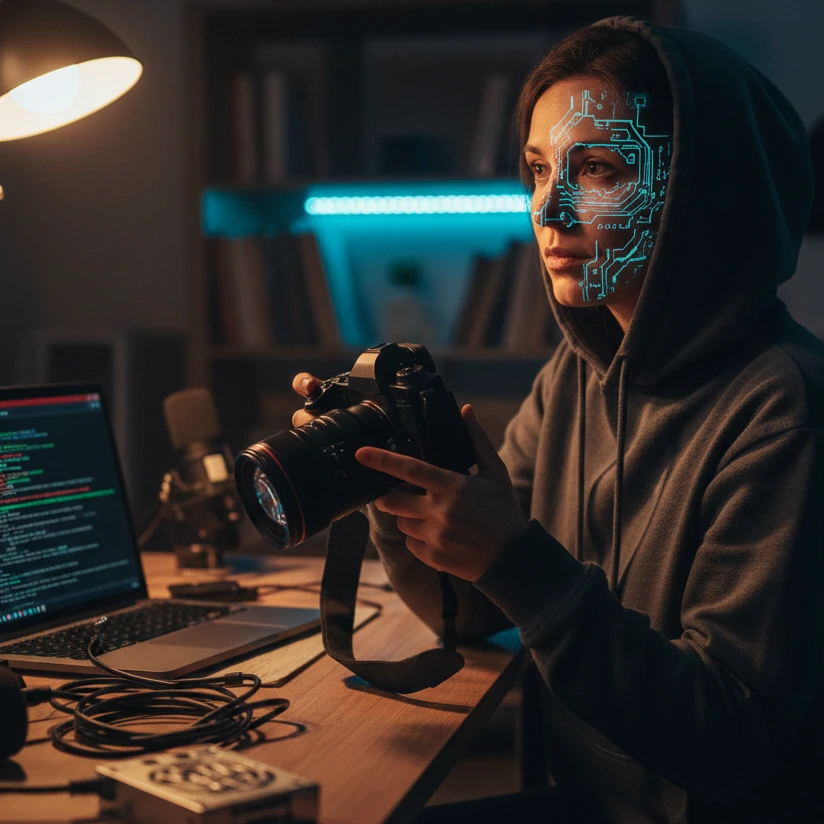
The Anonymous Creator's Toolkit: Essential Gear, Software, and Strategies for Privacy & Profit
Introduction: Building a Successful Anonymous Content Business
In the evolving landscape of digital content, the opportunity to generate a significant, sustainable income has never been more tangible. For women seeking to leverage platforms like OnlyFans, Fansly, and ManyVids, the appeal is clear: creative freedom, direct monetization, and the flexibility to work on your own terms. However, a critical concern for many is privacy—the ability to build a lucrative online presence without compromising personal identity or safety. This guide is designed for you, the aspiring or current creator who wants to thrive in spaces like these while staying completely anonymous. We’ll delve into the essential tools, strategies, and mindset needed to navigate this path successfully, from protecting your identity with practical solutions to growing your subscriber base with smart marketing.
Why Choose Anonymous Content Creation?
The decision to create content anonymously is often rooted in practicality and protection. Perhaps you have a career, family, or social circles you wish to keep separate from your online work. Maybe you’re testing the waters and want to minimize risk. Anonymity allows you to:
- Protect Your Personal Life: Shield your real identity from public exposure, avoiding potential stigma or privacy invasions.
- Maintain Control: You decide what to share and when, creating a clear boundary between your creator persona and private self.
- Tap into Niche Audiences: Many subscribers are drawn to the mystery and focus on content rather than personal details, allowing you to cultivate a dedicated following based on your craft.
- Explore Safely: It lowers the barrier to entry, enabling you to experiment with content styles—from ASMR and lingerie shoots to themed performances—without long-term repercussions.
Platforms such as OnlyFans, Fansly, ManyVids, and Patreon (for certain niches) support anonymous profiles, but success requires more than just signing up. You need a robust system to handle the inherent challenges.
The Core Challenges You’ll Face
While rewarding, anonymous creation isn’t without hurdles. Understanding these upfront is key to building a resilient business:
- Privacy Leaks: Accidental exposure through metadata, reflections, or background details can unmask you. This is why tools like privacy screens for laptops and phones (e.g., from brands like Kensington or 3M) are non-negotiable for working in public spaces.
- Content Quality Without a Face: Engaging an audience when you’re not showing your face demands creativity in angles, lighting, audio, and props. Poor production can hinder growth, making investments in ring lights, good microphones, and editing software crucial.
- Marketing Anonymously: How do you promote your OnlyFans page on social media without revealing your identity? This requires strategies like using blurred visuals, themed content, and leveraging platforms that allow pseudonymous promotion.
- Legal and Financial Privacy: Setting up secure payment methods and understanding tax obligations under a pseudonym adds complexity. Always use legitimate payment processors provided by the platforms and consult a tax professional familiar with digital income.
These challenges are manageable with the right approach—this guide will provide step-by-step solutions.
What This Guide Covers: A Roadmap to Success
Based on insights from full-time creators, we’ve structured this article to walk you through every critical aspect. You’ll learn not just what to buy, but how to use resources efficiently for maximum impact. Here’s a preview:
- Privacy & Anonymity Foundations: We’ll detail physical tools like privacy screens and digital solutions such as face blurring software (e.g., Adobe Photoshop for precise editing or mobile apps like Safe Blur) to remove identifying marks lawfully.
- Essential Creation Gear: From budget-friendly ring lights (Neewer is a popular brand) to audio equipment like the Blue Yeti microphone, we’ll cover how to achieve professional quality without a Hollywood budget.
- Wardrobe and Prop Strategies: Discover how to source outfits from thrift stores and use seasonal props to keep content fresh, along with storage hacks to stay organized.
- Editing and Software Mastery: We’ll recommend key applications for polishing your content, such as Canva for graphics, CapCut or DaVinci Resolve for video editing, and apps like Lens Buddy for photo bursts.
- Growth and Marketing Tactics: Learn how to promote your anonymous presence effectively, leveraging social media trends and SEO techniques to attract paying subscribers.
Throughout, we emphasize lawful and ethical practices. For instance, we’ll show you how to use blur tools to protect anonymity, but we won’t encourage watermark removal or content piracy—always respect intellectual property and platform terms.
Key Do’s and Don’ts for Beginners
To set you on the right path, here are some immediate actionable tips:
- Do invest in basic privacy tools first: Before creating content, secure your devices with privacy screens and use secure cloud storage (e.g., Google Drive with two-factor authentication) for backups.
- Do start with what you have: A modern smartphone with a good camera (like an iPhone or high-end Android) is sufficient to begin; upgrade gear gradually as your revenue grows.
- Do plan your anonymity workflow: Always review content for accidental identifiers (e.g., tattoos, unique jewelry) before posting, using editing tools to blur them out.
- Don’t neglect audio quality: Clear sound can make or viewer engagement, especially in niches like ASMR. Consider affordable USB microphones or lavalier mics for starters.
- Don’t use pirated software or attempt to bypass paywalls: Not only is it illegal, but it can expose you to malware. Opt for free alternatives like DaVinci Resolve for video editing or GIMP for photo editing.
- Don’t reveal personal details in interactions: Maintain your pseudonym consistently across all platforms and avoid sharing location hints or real-name information with subscribers.
By embracing these principles, you lay a solid foundation for a sustainable anonymous career. The following sections will dive deeper into each area, providing concrete examples and step-by-step guidance to help you thrive in the competitive world of content creation while keeping your identity safely hidden.
Privacy & Anonymity: Your Non-Negotiable Foundation
For the anonymous content creator, privacy isn't just a preference—it's the bedrock of your entire business. A single slip can compromise your identity, with potential personal and professional repercussions. This section outlines a defense-in-depth strategy, combining physical barriers, digital tools, and meticulous workflows to create an impenetrable shield around your real life. Implementing these practices from day one is what separates a sustainable career from a short-lived, risky endeavor.
1. Physical Privacy: Guarding Your Screen and Space
Your first line of defense happens in the real world. Whether you're editing in a coffee shop or checking messages on the train, you must prevent "visual hacking."
- Privacy Screens (Filter Films): These are essential. A quality privacy screen, like those from 3M or Kensington, limits the viewing angle of your laptop or phone display so that anyone not directly in front of the screen sees only a dark, obscured image. This is non-negotiable for working in public.
- Dedicated Workspace: If possible, create a content-creation space where windows are covered and the door can be locked. Use a simple room divider or backdrop to prevent accidental glimpses of identifying room layouts or outdoor scenery.
- Camera & Mic Discipline: When not in use, physically cover your webcam with a sliding shutter or sticker. Consider a microphone mute button or unplugging external mics to prevent accidental audio recording.
2. Digital Anonymization: Editing Out Your Identity
Your content itself must be scrubbed of all identifiers. This goes beyond just not showing your face.
- Face & Body Blurring/Obfuscation:
- For Precision (Desktop): Use Adobe Photoshop or the free alternative GIMP to manually apply Gaussian blurs, pixelation, or custom shapes over faces, distinctive tattoos, birthmarks, or scars.
- For Video & Batch Processing: Tools like Adobe Premiere Pro or DaVinci Resolve have built-in mosaic and blur effects. For a more automated approach, Move.ai and other AI-powered tools can track and blur faces, but always review the output carefully.
- For Quick Mobile Edits: Apps like Safe Blur, InShot, and CapCut have blurring features suitable for photos and short-form video.
- Background & Reflection Checks: Before posting any photo or video, scrutinize every inch of the frame. Look for:
- Reflections in mirrors, windows, or glossy surfaces.
- Visible mail, photos, or documents with your name/address.
- Distinctive furniture, art, or architectural details that could be traced.
- Metadata Scrubbing: Every digital file contains hidden data (EXIF data) that can include your camera model, location coordinates, and even your name. Always strip this data before uploading. Use tools like:
- ExifPurge (website)
- ExifTool (desktop software)
- Built-in features on your phone (e.g., on iOS, disable location services for your camera app before shooting content).
3. The Secure Operational Workflow
Anonymity must be baked into your daily process.
- Stage & Shoot: In your secured space, after checking for reflections and identifiers.
- Transfer Securely: Use a direct USB cable or a private, encrypted cloud service (like a dedicated Google Drive or Dropbox account) to move files to your editing device. Never use public Wi-Fi for transfers without a VPN.
- Edit & Anonymize: This is your core privacy step. Apply all necessary blurs, remove metadata, and save the final, "clean" version.
- Store Safely: Keep the original, un-blurred files on an encrypted external hard drive (e.g., from WD or Samsung) stored in a secure location. The anonymized versions can be used for posting.
- Upload: Post only the scrubbed files to your platforms (OnlyFans, Fansly, ManyVids).
4. Platform-Specific Privacy Settings
Leverage the privacy features on the platforms you use:
- OnlyFans/Fansly: Use geoblocking features to restrict access from your country/state. Disable content downloads in settings where possible (though this isn't foolproof).
- ManyVids/Clips4Sale: Watermark your content with your brand name. This is a lawful deterrent against unauthorized redistribution and doesn't compromise your anonymity.
- Social Media (for promo): On Twitter, Instagram, or TikTok, create brand-new accounts for your persona. Do not link phone numbers or email addresses associated with your real identity. Use a separate email service like ProtonMail.
Critical Do's and Don'ts
- DO conduct regular "privacy audits" of your old content to ensure no identifiers have slipped through.
- DO use a trusted, paid VPN service (like ExpressVPN or NordVPN) whenever accessing your creator accounts, especially from public networks.
- DO establish a consistent "creator persona" name, biography, and style that is entirely separate from your real-life details.
- DON'T ever use the same password across creator platforms, social media, and financial accounts. Use a password manager like Bitwarden or 1Password.
- DON'T ignore audio. A voice can be as identifiable as a face. Consider using subtle background music, voice modulation software (like Voicemod), or simply remaining silent in video content.
- DON'T attempt to remove other creators' watermarks from content you purchase for use. This is illegal and unethical. Instead, create or commission original content.
By treating your anonymity as an active, ongoing process—not a one-time setup—you build the confidence and security needed to focus on what matters most: creating great content and growing your business on your own terms.
Content Creation Gear: Quality on a Budget
High-quality content is your strongest marketing tool. As an anonymous creator, you can’t rely on facial expressions or personal connection, so the production value of your visuals and audio becomes paramount. The good news? Professional results don’t require a studio budget. This guide breaks down the essential hardware, prioritizing the most impactful investments and offering savvy, cost-effective alternatives used by successful creators on platforms like OnlyFans and Fansly.
1. Lighting: Your #1 Priority for Professional Quality
Great lighting makes any camera look better, smooths skin tones, and creates a polished, premium feel. It’s the single best upgrade you can make.
- Primary Source (Key Light): Start with a simple ring light or softbox. The Neewer 18-inch Ring Light is a popular, affordable choice that provides even, flattering light. For more control, a rectangular softbox from a brand like Godox creates a more natural, directional light.
- Fill and Background Lighting: To avoid harsh shadows and add depth, add a second light. This can be another ring light, a simple LED panel, or even a cheap "sunset lamp" for colored mood lighting in backgrounds.
- Natural Light: A fantastic free resource. Shoot facing a large window during the day for beautiful, soft light. Use sheer curtains to diffuse harsh sunlight.
Do: Position your main light in front of you, slightly above eye level.
Don't: Rely on a single, harsh overhead room light—it creates unflattering shadows.
2. Cameras: Smartphone vs. Dedicated
Your phone is more than capable. A dedicated camera is an upgrade, not a requirement.
- Smartphone Cameras: Modern iPhones and high-end Android phones (like Samsung Galaxy or Google Pixel) have exceptional cameras. Use the rear camera for higher quality than the selfie cam. Apps like Lens Buddy help take controlled burst photos.
- Upgrade to a Dedicated Camera: If you have the budget, a camera with a larger sensor provides better low-light performance and background blur (bokeh). Creator-focused models like the Sony ZV-1 or Canon G7 X Mark III are excellent for video and photos, with features like flip screens and good built-in microphones.
- Webcams for Streaming: For live streams on platforms like ManyVids, a dedicated webcam like the Logitech C920s offers a significant quality jump over a laptop camera.
Budget Tip: Explore refurbished or used models from reputable retailers like Amazon Renewed or B&H Photo.
3. Audio: Don't Let Bad Sound Ruin Great Visuals
Crackly, muffled, or echoing audio is a major turn-off for subscribers, especially in intimate or ASMR-style content.
- USB Microphones: The easiest plug-and-play solution. The Blue Yeti is a industry standard for its versatility and sound quality. For a more compact option, consider the Rode NT-USB Mini.
- Lavalier (Lapel) Mics: Ideal for hands-free recording, especially if you're moving. Wireless systems like the DJI Mic 2 or the more affordable Rode Wireless GO II provide excellent freedom and clarity.
- Smartphone Audio: If starting with zero budget, use voice memo apps in a quiet, carpeted room. You can later sync the audio with your video in editing apps like CapCut or DaVinci Resolve.
4. Storage & Backup: Protecting Your Assets
Your content is your intellectual property and income source. Losing it is catastrophic.
- External Hard Drives: Invest in at least one. Brands like Western Digital (WD) and Samsung offer reliable portable drives (1TB-2TB is a good start). Have two for redundancy: one for active projects, one for backup.
- Cloud Backup: Use a secure cloud service as a second, off-site backup. Google Drive, Dropbox, or Backblaze are good options. Ensure your account uses two-factor authentication and a strong, unique password.
- Organization: Create a clear folder system by date and content type (e.g., 2024-10_Halloween_Set). This saves hours when looking for old content to repurpose.
5. Other Practical Tools & Extras
- Tripod or Flexible Mount: A must for steady shots and hands-free recording. A Joby GorillaPod can wrap around objects for unique angles.
- Backdrops: Use a plain wall, a purchased fabric backdrop, or even inexpensive wrapping paper from a dollar store for quick themed changes.
- Power Banks: Keep your phone and wireless mics charged during long shoots.
Gear Acquisition Strategy: Do's and Don'ts
- DO invest in this order: 1) Lighting, 2) Audio, 3) Storage, 4) Camera upgrade.
- DO buy versatile, multi-use items. A ring light with a phone holder is more useful than a specialty prop you'll use once.
- DO check second-hand markets (Facebook Marketplace, eBay) for gently used gear from trustworthy sellers.
- DON'T go into debt for gear. Start with what you have and reinvest your earnings.
- DON'T neglect your smartphone's capabilities—master its pro mode and settings before buying a fancy camera.
- DON'T forget to factor in accessories like memory cards, extra batteries, and cables into your budget.
By building your toolkit strategically, you create a sustainable production cycle that elevates your content, justifies your subscription price, and fuels your growth as an anonymous creator. Need personalized advice on setting up your anonymous studio? Reach out discreetly via WhatsApp, Telegram, or email.
Wardrobe, Props, and Storage: Maximizing Variety and Efficiency
For the anonymous creator, your wardrobe and props are more than just accessories—they are the primary tools for storytelling, maintaining audience interest, and defining your brand without revealing your face. A strategic approach here solves two key problems: preventing content from becoming repetitive and streamlining your workflow so you can create more, not manage more. This section covers smart sourcing, thematic planning, and the organizational systems that keep everything running smoothly.
1. Strategic Wardrobe Sourcing: Variety Without Bankruptcy
You don’t need a closet overflowing with expensive lingerie. A curated collection of versatile pieces is far more effective. The goal is "sexy versatility."
- Thrift Stores & Resale Apps Are Goldmines: Stores like Goodwill, Salvation Army, and local consignment shops, or apps like Depop and Poshmark, are perfect for finding unique, affordable items. Look for:
- Basic bodysuits and slip dresses in neutral colors (black, white, red).
- Oversized men's dress shirts for a classic "boyfriend" look.
- Lacy camisoles and satin skirts.
- You can easily alter items—cutting a t-shirt for an underboob look or tying a shirt to create a crop top.
- Invest in Key Foundation Pieces: Allocate a modest budget for a few high-quality essentials that photograph well:
- A well-fitting set of matching bra and panties.
- A simple black bodysuit.
- Fishnet stockings or tights (they add texture and are inexpensive).
- Focus on Colors and Textures: Instead of 10 similar black pieces, aim for variety: sheer mesh, velvet, lace, satin, cotton. Different colors evoke different moods and help content feel fresh.
Do: Wash all thrifted or new items before wearing them in content.
Don't: Feel pressured to buy fast-fashion hauls. Slow, intentional building is more sustainable and creative.
2. Props & Thematic Content: Keeping Your Calendar Fresh
Props are the secret weapon for engaging content calendars and capitalizing on holidays and trends. They provide a focus beyond your body.
- Seasonal & Holiday Themes: Plan content around major holidays (Halloween, Christmas, Valentine’s Day) and seasons.
- Halloween: Costume pieces, fake cobwebs, pumpkin props.
- Christmas: Use bows, garland, fairy lights, and ribbons as creative "outfits" or backgrounds. A simple string of lights can be incredibly effective.
- Budget Hack: Use wrapping paper from dollar stores as quick, disposable backdrops for themed shoots.
- Everyday Props for Niche Content:
- For ASMR/Relaxation: Brushes, microfiber cloths, latex gloves, lotion bottles.
- For Fetish/Kink Content: Ropes (safely), blindfolds, leather accessories, shoes/boots.
- For "Girlfriend Experience" Content: Coffee mugs, books, cozy blankets.
- Collaborations for Props: Reach out to smaller sex toy retailers or lingerie shops on social media. Many will send free products in exchange for a promo post and an affiliate link, providing you with new content material at no cost.
3. The Ultimate Storage & Organization System
Chaos is the enemy of productivity. An organized system saves time, preserves your items, and lets you execute content ideas quickly.
- The Ziploc Bag Method (Creator-Recommended):
- Place each complete outfit (bra, panties, stockings, any accessories) into a large, clear Ziploc or reusable storage bag.
- Optional pro-tip: Take a quick Polaroid or phone photo of you wearing the outfit and slip it into the bag. This solves the "what does this look like on?" problem instantly.
- Sort bags by color or theme in a dedicated drawer, plastic bin, or garment rack.
- Dedicated "Spicy" Storage: Use a specific dresser, chest, or closet section only for your creator wardrobe and props. This keeps it separate from your everyday clothes and minimizes the risk of accidental exposure.
- Digital Inventory: Maintain a simple spreadsheet or note-taking app (like Google Sheets or Notion) to log your outfits and props. Note when and in what content you used them to avoid repetition for your top subscribers.
4. Sustainable Refreshing: Selling, Trading, and Reusing
Your inventory doesn't have to be static. Many creators use creative methods to refresh their collections.
- Sell Old Content Bundles: A highly effective monetization strategy. Bundle the lingerie set with the video you filmed in it and sell it as a exclusive package on platforms like ManyVids or through paid messages on OnlyFans/Fansly.
- Trade with Fans or Other Creators: Some creators offer a "wishlist" service where a fan buys them a new outfit, and in return, they ship the fan their old outfit (cleaned, of course). This builds community and refreshes your stock.
- Reuse and Repurpose: A classic black bodysuit can be worn a dozen different ways with different props, accessories, and lighting. Focus on creating new contexts for your core pieces.
Key Do's and Don'ts for Wardrobe & Props
- DO prioritize comfort. If you're uncomfortable in an outfit, it will show on camera.
- DO create a content calendar around seasonal props you acquire—it makes marketing and creation easier.
- DO inspect all props and outfits for logos, distinctive patterns, or tags that could be identifying before shooting.
- DON'T neglect basic clothing care. Hand-wash delicate items to make them last longer.
- DON'T use branded props or copyrighted character costumes in a way that could lead to legal issues. Stick to generic themes.
- DON'T let organization slide. Spending 10 minutes putting an outfit away properly saves an hour of frantic searching later.
By viewing your wardrobe and props as a manageable, strategic asset, you transform potential chaos into a well-oiled content machine. This efficiency gives you more time and mental energy to focus on the creative and business aspects of building your anonymous empire.
Editing and Software: Polishing Your Content
Editing is where raw footage transforms into compelling content. For the anonymous creator, it's also your final, critical privacy checkpoint. The right software allows you to enhance production value, create a consistent brand, and—most importantly—ensure every trace of your identity is removed before anything goes live. This guide breaks down the essential applications across photo, video, and graphic design, focusing on powerful yet accessible tools that fit a creator's budget and workflow.
1. Photo Editing & Anonymization
Your still images need to be sharp, well-colored, and completely anonymous. This requires tools for both enhancement and privacy scrubbing.
- For Precision Blurring & Retouching:
- Adobe Photoshop: The industry standard for a reason. Its clone stamp, healing brush, and blur tools (Gaussian, Field) are perfect for meticulously removing tattoos, birthmarks, or accidental reflections. It's an investment, but unparalleled for control.
- GIMP (GNU Image Manipulation Program): A completely free, open-source alternative to Photoshop. It has a steeper learning curve but offers powerful layers, masks, and filter tools for professional-grade anonymization and editing.
- For Quick, Mobile-Centric Workflows:
- InShot or Hypic: These mobile apps are fantastic for quick edits. They offer robust blurring tools, filters that can improve lighting, and easy cropping. Hypic, in particular, is noted for its creative, lighting-enhancing filters.
- Lens Buddy: A must-have for photo shoots. This app automates burst photography (taking a series of shots hands-free), allowing you to focus on posing. You get a variety of shots to choose from with minimal effort.
Do: Always edit on a copy of your original file, preserving the untouched version on your secure hard drive.
Don't: Use "beautification" filters that drastically alter your body shape in a misleading way; subscribers value authenticity, and deceptive editing can backfire.
2. Video Editing: From Short-Form to Long-Form
Video content drives engagement on platforms like OnlyFans, Fansly, and ManyVids. Your editing software should match your content format.
- For Short-Form & Social Media Content (TikTok, Reels, Teasers):
- CapCut: The current favorite for a reason. It's free, incredibly intuitive, packed with trending effects, transitions, and text animations, and has capable blurring tools. You can opt out of its AI features if you have privacy concerns.
- InShot: Another excellent mobile editor, great for quick cuts, adding music, and adjusting video speed.
- For Long-Form & Higher-Quality Production:
- DaVinci Resolve: This is the professional's choice that's also free. Its paid Studio version is a one-time fee. It offers Hollywood-grade color correction, advanced audio editing, Fairlight audio suite, and powerful fusion effects for complex blurring and tracking. It's a significant step up from iMovie.
- Adobe Premiere Pro: Part of the Creative Cloud suite, it's a powerful, industry-standard timeline-based editor with seamless integration with After Effects (for motion graphics) and Photoshop.
- Final Cut Pro: A powerful, one-time purchase option for Mac users, known for its smooth performance and magnetic timeline.
3. Graphic Design & Branding Tools
Consistent branding makes you look professional and helps you stand out. You need tools to create promotional graphics, thumbnails, and channel art.
- Canva: An absolute non-negotiable for creators. The free version is powerful, but the Pro subscription is worth it for the vast library of templates, fonts, stock photos, and the background remover tool. Use it for:
- YouTube thumbnails
- Promotional banners for your OnlyFans or Fansly header
- Teaser images for Twitter/Instagram
- Price sheets and subscription tier graphics
4. The Ethical Use of AI Tools
AI-powered tools are becoming ubiquitous. Use them ethically to enhance your workflow, not to create deceptive or stolen content.
- For Backgrounds & Enhancement: Tools like Adobe's Generative Fill (in Photoshop) or Canva's AI image generator can help you create or clean up backgrounds. Always disclose if an image is AI-generated if it's a central part of paid content.
- For Voice & Audio: If you need to remain completely silent, text-to-speech tools can generate voiceovers. Ensure you have the rights to use the voice model.
- Critical Rule: Never use AI to generate fake explicit imagery of real people (deepfakes). This is illegal and unethical. Use AI as an assistant for editing and ideation, not for creating the core content you sell.
5. Building Your Editing Workflow
- Ingest & Organize: Transfer files from camera/card to a dated project folder on your computer.
- First Pass - Anonymization: In your chosen editor (e.g., DaVinci Resolve or Photoshop), apply all necessary blurs, mosaics, and background checks. This is your non-negotiable first step.
- Second Pass - Creative Edit: Cut, sequence, color grade, add music (using royalty-free sites like Epidemic Sound or Artlist), and incorporate text/graphics.
- Final Pass - Export & Optimize: Export in the optimal format. For social media, use H.264 .mp4. For full-quality archives, use a high-bitrate format. Scrub metadata upon export if your software allows.
Software Do's and Don'ts
- DO master 1-2 tools deeply rather than bouncing between a dozen apps.
- DO leverage free trials to test professional software like DaVinci Resolve or Adobe Creative Cloud before committing.
- DO use cloud storage like Google Drive or Dropbox to sync project files between devices if you edit on multiple screens.
- DON'T use pirated software (cracks). It's illegal, often contains malware, and you won't get security updates or support.
- DON'T neglect audio editing. Use the audio tools within CapCut, DaVinci Resolve, or a dedicated free tool like Audacity to reduce noise and balance levels.
- DON'T over-edit. Sometimes simple, clean cuts are more effective than an overload of flashy effects.
The right software stack empowers you to produce content that rivals top creators. Stuck on which tools to choose or how to implement a secure editing pipeline? For discreet, personalized guidance, reach out via WhatsApp, Telegram, or email.
Smart Budget Tips: Thriving Without a Fortune
Launching and scaling an anonymous creator business does not require a massive upfront investment. Some of the most successful creators on OnlyFans, Fansly, and ManyVids started with minimal resources, using creativity and hustle to bootstrap their way to profitability. This section distills their hard-won wisdom into actionable, budget-friendly strategies that let you allocate your limited funds where they matter most: privacy, content quality, and growth.
1. Wardrobe & Props: The Art of Thrifting and Repurposing
Your content's visual variety can come from clever sourcing, not expensive shopping sprees.
- Become a Thrift Store & Resale App Expert: Physical stores like Goodwill and Value Village, along with apps like Depop, Poshmark, and even Facebook Marketplace, are treasure troves.
- Look for basic, brand-less items in fabrics that photograph well: silk slips, lace camisoles, oversized shirts.
- “Sexy casual” is a hugely popular aesthetic. A simple cotton t-shirt or tank top, cut or styled creatively, can be more effective than expensive lingerie.
- Don’t overlook accessories. Belts, scarves, hats, and costume jewelry can dramatically change an outfit's look for just a few dollars.
- The Dollar Store Prop Hack: As highlighted by creators, dollar stores (Dollar Tree, Dollar General) are perfect for thematic props.
- Use seasonal wrapping paper as an instant, disposable backdrop for holiday content.
- Find inexpensive fairy lights, ribbons, fake flowers, and basic home items that can serve as props for ASMR or aesthetic shots.
- Collaborate for Free Products: Reach out to small, independent lingerie brands or sex toy shops on Instagram or Twitter. Propose a mutually beneficial exchange: they send you a product for free, and you create promotional content for them (a post/story) and share an affiliate link. This builds your network and stocks your prop closet.
2. Tech & Gear: Smart Upgrades Without Debt
Professional equipment is a goal, not a starting requirement. Be strategic about acquisitions.
- Buy Refurbished or Used: Purchasing from certified refurbishers or trusted second-hand sellers can save 30-50%.
- Amazon Renewed, B&H Photo Used Department, and Backmarket offer warranties on refurbished electronics.
- For cameras, older models like the Canon G7 X Mark II (instead of the Mark III) or a used Sony A6000 offer tremendous value.
- Gently used ring lights, tripods, and microphones are abundant on Facebook Marketplace and eBay.
- Leverage What You Already Own:
- Your smartphone is a powerhouse. Master its native camera app and free editing software before considering a dedicated camera.
- Use household lamps with white LED bulbs as improvised lighting. Position them with clamps or stands to mimic a softbox.
- A quiet room with lots of pillows and blankets can serve as both a sound dampener and a cozy set.
- Prioritize Free & Open-Source Software: Never pay for pirated software. The free alternatives are powerful and safe.
- DaVinci Resolve for video editing.
- GIMP and Photopea (browser-based) for photo editing.
- OBS Studio for streaming and recording.
- Canva's free tier for graphics.
3. The Circular Economy: Monetize What You Already Have
Turn existing content and assets into new revenue streams, funding your next upgrade.
- Sell Content & Lingerie Bundles: This is a favorite tactic among veteran creators. Bundle the lingerie set you've worn in a popular video with the video itself, and sell it as an exclusive, higher-priced package. Platforms like ManyVids are built for this, or you can sell via locked messages on OnlyFans or Fansly.
- Trade with Subscribers: Some creators run promotions where a subscriber can buy them a new outfit from a wishlist (using a safe, address-hidden service like Throne), and in return, the creator sends them an old, cleaned outfit. It’s a unique fan experience that refreshes your wardrobe.
- Repurpose and Re-promote: Don’t let old content die. Edit a 15-minute video into multiple teasers for Twitter/TikTok. Compile themed photos into a "Throwback Thursday" post. A well-organized archive is a passive income mine you can revisit during slower creation periods.
4. Operational Frugality: Saving on the Essentials
Small, consistent savings on overhead add up to a significant budget for more important things.
- DIY Backdrops & Sets: Instead of buying expensive backdrops, use:
- A plain, freshly painted wall.
- A large, solid-colored bedsheet or curtain hung smoothly.
- Removable wallpaper or, as mentioned, decorative wrapping paper.
- Smart Subscriptions: Evaluate every monthly fee. Is a premium music subscription necessary when YouTube Audio Library and Epidemic Sound's free trial exist? Can you manage with Canva Free until your income justifies Pro? Cancel what you don't actively use.
- Bulk Shooting & Time Batching: Save on setup/breakdown time and mental energy by creating a month's worth of content in 2-3 dedicated shooting days. This is more efficient than trying to create something new daily when starting out.
Budget Philosophy Do's and Don'ts
- DO reinvest your first profits. The classic cycle is: Earnings → Better Lighting → Better Content → More Earnings → Better Audio, and so on.
- DO track your expenses, even small ones. This helps you see your true profit and makes tax time much easier.
- DO prioritize spending on items that directly impact content quality and privacy (lighting, a good blur tool, secure storage) over aesthetic extras.
- DON'T compare your starter setup to a creator who's been doing this for five years. Your journey is unique.
- DON'T take on debt for this business. The risk and stress are not worth it. Grow organically.
- DON'T fall for "get rich quick" schemes or pay expensive "mentors." The best, free advice often comes from communities like r/CreatorsAdvice and other experienced creators sharing openly.
Adopting a resourceful, scrappy mindset from the beginning builds resilience and business acumen. It forces you to be creative with your content and strategic with your growth, forming a rock-solid foundation for when your revenue does increase. The most valuable asset you have isn't money—it's your ingenuity and consistency.
FAQ: Your Anonymous Creator Questions Answered
Embarking on an anonymous content creation journey naturally brings up many practical and legal questions. Based on the most common concerns from aspiring creators, we've compiled detailed answers to help you move forward with confidence, security, and a clear understanding of the landscape.
1. How can I stay anonymous on platforms like OnlyFans?
Maintaining anonymity on subscription platforms requires a multi-layered approach that combines platform features, operational habits, and digital tools. First, leverage the built-in privacy settings. On OnlyFans and Fansly, use the geoblocking feature to block access from your country and state. This prevents people from your immediate area from accidentally finding your profile. Second, create a completely separate online identity. This means:
- Using a stage name that has no connection to your real life.
- Creating brand-new email accounts (with services like ProtonMail or Tutanota) and social media profiles solely for your creator persona.
- Never using a phone number linked to your real identity for two-factor authentication; use an app like Google Authenticator or the email method.
The most critical layer is your content workflow. Always edit your photos and videos to remove identifiers. Use tools like Adobe Photoshop, GIMP, or CapCut to blur faces, tattoos, birthmarks, and unique jewelry. Conduct a thorough "reflection check" in mirrors and windows before posting. Furthermore, invest in physical privacy: use 3M privacy screens on your devices when working in public and consider a VPN like NordVPN when accessing your accounts. Anonymity isn't a one-time setting; it's an ongoing practice of vigilance at every step, from creation to posting to interaction.
2. Is it legal to sell adult content anonymously?
Yes, selling adult content anonymously is generally legal, provided you adhere to the laws of your country and the platform's terms of service. The legality hinges on the content itself (all participants must be consenting adults of legal age) and your compliance with financial and tax regulations. The act of using a pseudonym is protected as a form of artistic or professional expression in most jurisdictions. However, you must still operate within the law:
- Age Verification & Consent: Platforms like OnlyFans, Fansly, and ManyVids require strict age verification for creators. You must also ensure any other person in your content is a verified, consenting adult.
- Financial Transparency: While you can use a stage name publicly, the payment processor (like OnlyFans' system) and your bank will know your real identity for tax purposes. You are legally required to report this income. Work with an accountant familiar with freelance or digital income to file taxes correctly under your legal name.
- Intellectual Property & Copyright: You must own or have the rights to all content you sell. Using copyrighted music, logos, or character costumes without permission can lead to legal issues.
Anonymity does not mean operating outside the system. It means separating your public persona from your private life while still fulfilling all legal obligations, which is a completely lawful and common practice.
3. What are the best platforms for anonymity?
Several platforms are well-suited for anonymous creators, each with different strengths. The "best" platform depends on your content style and revenue goals.
- Fansly: Often cited as more anonymity-friendly. It has robust privacy controls, excellent geoblocking, and a flexible follow/subscription model. Its tagging and discovery features can help you reach an audience without relying on personal identity.
- OnlyFans: The largest platform with the most users. Its privacy features (geoblocking, download disabling) are solid. However, discovery is harder, so you'll need to drive traffic from other social media. Its brand recognition can help legitimize your page.
- ManyVids: Excellent for creators focused on selling individual videos, clips, and custom content. It functions more as a marketplace than a social feed, which can be advantageous if your content is thematic or niche-focused rather than personality-driven.
- LoyalFans: A growing platform similar to OnlyFans, known for better customer support and creator-friendly features like integrated video calling and wishlists.
- Clips4Sale: A longstanding marketplace for specific fetish and kink content. Anonymity is standard, as the focus is on the content category, not the creator's personal story.
For maximum safety, many creators use multiple platforms. You can post daily content and build a community on Fansly, sell individual videos on ManyVids, and use Clips4Sale for specific niche clips. This diversifies your income and reduces reliance on any single site's algorithm or policies.
4. How do I market content without showing my face?
Marketing without a face focuses on crafting intrigue, highlighting aesthetics, and leveraging other sensory appeals. Your strategy should center on themes, props, and the promise of the content itself.
- Teaser Content on Social Media: Use platforms like Twitter, Instagram (with a backup account), Reddit, and TikTok. Post short, blurred, or creatively angled clips that hint at your content. For example, a close-up shot of lace on skin, hands applying lotion, or the drape of a silk sheet. Use relevant hashtags like #AnonymousCreator or #FacelessCreator.
- Thematic & Niche Marketing: Dive deep into a specific niche (e.g., ASMR, lingerie, feet, BDSM aesthetics). By catering to a specific audience, your lack of face becomes irrelevant to subscribers seeking that particular content. Engage in niche communities respectfully.
- Leverage Your Other Assets: Focus on other body parts, vocal tone (if you speak), props, costumes, and scenarios. Create a consistent color palette or visual style using editing apps like VSCO or Lightroom so your previews have a recognizable, professional look.
- Collaborations: Do shout-for-shouts (SFS) or cross-promotions with other anonymous creators. This exposes you to a ready-made audience that already accepts and enjoys faceless content.
The key is to sell a fantasy or a feeling, not a person. Your marketing copy should describe the experience, sounds, textures, and scenarios in your content, building curiosity that drives clicks to your link.
5. What tools help with face anonymization or tattoo removal?
A variety of software tools, from professional suites to simple mobile apps, can help you digitally remove identifying marks. The best tool depends on your skill level and the medium (photo vs. video).
- For High-Precision Photo Editing:
- Adobe Photoshop: Use the "Clone Stamp," "Healing Brush," and "Content-Aware Fill" tools to seamlessly remove tattoos or birthmarks. For faces, the "Gaussian Blur" filter or pixelation effect applied via a layer mask is the standard.
- GIMP: A free alternative with similar capabilities. Use its "Heal Tool" and "Blur/Sharpen Tool" for precise anonymization.
- For Video Editing:
- DaVinci Resolve: Its "Color" page allows you to create power windows (masks) that track a moving face or tattoo, to which you can then apply a blur or mosaic effect. The free version is fully capable of this.
- Adobe Premiere Pro: Offers "Masking & Tracking" tools and effects like "Mosaic" and "Gaussian Blur."
- CapCut & InShot: These mobile apps have built-in blur stickers that can be manually placed and resized in videos, suitable for shorter clips where the subject doesn't move much.
- For Automated/AI-Assisted Blurring: Tools like Move.ai and certain features in Adobe After Effects can automatically detect and track faces. However, always manually review the output, as AI can miss frames or mistakenly blur the wrong object.
Remember, the goal is a permanent, irreversible obfuscation. Always work on a copy of your original file and save the anonymized version as a new file before uploading.
6. How much income can I expect as an anonymous creator?
Income is highly variable and depends on factors like your niche, consistency, marketing skill, and content quality—not whether you show your face. There is no guaranteed salary. Many creators start earning a few hundred dollars per month, while top anonymous creators can make five or six figures monthly. Your revenue will typically come from multiple streams:
- Subscription Fees: Monthly access to your page (e.g., $5-$20/month).
- Pay-Per-View (PPV) Messages: Selling individual videos or photo sets via direct message.
- Tips & Donations: For custom requests, during livestreams, or just because a fan appreciates your work.
- Custom Content: Personally tailored videos or photos, which command a premium price.
- Item Sales: Selling physical items like worn lingerie, or digital bundles on platforms like ManyVids.
The most critical factor is treating it like a business. Creators who post regularly (3-5 times a week), engage with fans, actively promote on social media, and analyze what content performs best see steady growth. It's common to have slow initial months while building a library and audience. A realistic goal for a dedicated beginner might be to replace a part-time income within 6-12 months, but this requires strategic work, not just posting content.
7. How do I handle payments and taxes privately?
Financial privacy is about keeping your real name out of public view, not hiding from tax authorities. Here’s a lawful approach:
- Platform Payouts: When you sign up on OnlyFans, Fansly, etc., you must verify your identity with a government ID and provide your legal name and address for tax forms (like a W-9 in the US). This information is secure between you, the platform, and the payment processor. It is not shared with subscribers.
- Separate Bank Account: Open a dedicated business checking account in your legal name to receive platform payouts. This keeps your creator income separate from personal finances, simplifying accounting and adding a layer of privacy from anyone who might see your personal bank statements.
- Tax Filing: You are legally required to report all income. The platform will issue a 1099 tax form (in the US) at the end of the year. Hire a tax professional or accountant who understands freelance/contractor digital income. They can advise on allowable deductions (a portion of your rent for your studio space, equipment, props, software subscriptions) to minimize your tax liability legally.
- Pseudonymous Business Structure: As you scale, you might consider forming an LLC (Limited Liability Company) in your state. You can often name the LLC something unrelated to your real name, adding another layer of privacy between your public persona and your personal assets. Consult a business attorney for this step.
Transparency with the IRS or your country's tax authority is non-negotiable and protects you from severe penalties. Privacy is about shielding your identity from the public and your subscribers, not from the government.
8. Can I use AI tools ethically for content creation?
Yes, AI tools can be used ethically as powerful assistants in your workflow, but clear boundaries are essential to maintain trust and legality.
- Ethical Uses:
- Editing & Enhancement: Using AI for tasks like upscaling image resolution, removing background objects, color grading, or generating subtle textures for thumbnails.
- Ideation & Planning: Using chatbots like ChatGPT to brainstorm content ideas, script scenarios, or write engaging promotional tweets.
- Audio Cleanup: Using AI in tools like Adobe Audition or Descript to remove background noise from your recordings.
- Unethical & Illegal Uses:
- Creating "Deepfake" Pornography: Using AI to superimpose a real person's face (celebrity or non-consenting individual) onto explicit content is illegal in many jurisdictions and a profound violation of consent.
- Fully Generating Explicit Content: Selling content that is 100% AI-generated without disclosing it is deceptive to subscribers who pay for a human connection and authentic creation. If you do sell AI-generated art, it must be clearly labeled as such.
- Imitating Other Creators: Using AI to mimic another creator's unique style or likeness to steal their audience is unethical and could lead to legal issues.
The core principle is augmentation, not replacement. Use AI to enhance the authentic content you create, not to create a false persona or deceive your audience. Always prioritize transparency with your subscribers about the tools and processes you use, as trust is your most valuable currency.
Ready to Launch or Scale Your Anonymous Presence?
You've now navigated a comprehensive roadmap for building a successful, anonymous content business. From establishing ironclad privacy protocols with tools like Adobe Photoshop for meticulous blurring and 3M privacy screens for physical security, to mastering production with essentials like Neewer ring lights and Blue Yeti microphones, you have the knowledge to start strong. We've explored creative sourcing from thrift stores and Depop, efficient editing with DaVinci Resolve and Canva, and budget-smart strategies to maximize every dollar. Yet, understanding the theory is only half the battle; the real challenge lies in consistent, error-free execution while growing a loyal subscriber base on competitive platforms like OnlyFans, Fansly, and ManyVids.
The Critical Juncture: Balancing Security and Growth
Sustained success as an anonymous creator demands you excel in two parallel, demanding disciplines. First, unwavering vigilance in protecting your identity. This is a continuous process, not a one-time setup. It involves scrutinizing every frame for reflections, using software like GIMP or CapCut to blur tattoos and backgrounds, managing metadata with tools like ExifTool, and maintaining secure backups on encrypted drives. Second, proactive, smart marketing and audience growth. Your content must be discovered and desired. This means crafting compelling teasers for Twitter and TikTok, engaging in niche communities, optimizing your profiles for search, and converting curiosity into paid subscriptions. Neglecting either pillar—privacy or promotion—can stall your business before it truly begins.
Common Hurdles Where Creators Seek Expert Help
Even with the best guides, solo creators often encounter obstacles that slow progress or introduce risk:
- Time and Workflow Bottlenecks: The cycle of shooting, anonymizing (e.g., frame-by-frame blurring in Premiere Pro), editing, marketing, and engaging fans is immense. Many struggle to maintain quality and consistency.
- Advanced Anonymization Challenges: Certain identifying marks—distinctive tattoos in motion, reflections in curved surfaces—require advanced editing techniques that go beyond basic blur tools.
- Marketing Plateaus: Understanding how to effectively promote faceless content on platforms like Instagram Reels or Reddit without revealing identity, and how to analyze metrics to refine strategy, is a specialized skill.
- Technical Overwhelm: Configuring optimal settings for geoblocking on Fansly, setting up secure VPNs like ExpressVPN, or organizing a scalable content archive can be distracting from the core creative work.
These complexities are why many successful creators partner with specialists—to transform overwhelming effort into streamlined, effective systems.
How Our Agency Provides Targeted, Dual-Focus Support
We specialize in serving anonymous creators by addressing both foundational privacy and revenue growth. Our support is not generic advice; it's hands-on strategy and implementation tailored to your specific niche and goals.
- Comprehensive Anonymity Protection:
- Implementing advanced digital anonymization: We assist with precise face and body blurring, tattoo removal, and background cleansing using industry-standard tools like Adobe After Effects for complex tracking and OBS Studio for virtual backgrounds.
- Developing secure operational workflows: We help design processes for safe file transfer, encrypted storage on platforms like Google Drive, and regular privacy audits to eliminate leaks.
- Consulting on physical setup: Advice on dedicated workspaces, privacy screens, and audio masking techniques to complement your digital security.
- Data-Driven Marketing & Growth Strategy:
- Building your promotional engine: We create customized plans for social media (Twitter, TikTok, niche forums) that leverage themes, props, and aesthetic consistency to build intrigue without showing your face.
- Optimizing platform presence: Enhancing your OnlyFans or ManyVids profile with SEO-friendly bios, engaging teaser content, and effective call-to-actions to boost conversion rates.
- Growth analytics and scaling: We help interpret performance data from platform analytics and social insights to double down on what works, identify new opportunities, and systematically increase your subscriber revenue.
Our role is to be your strategic partner, handling the complexities so you can focus more on the creative expression that makes your content unique.
Your Invitation to Strategic Partnership
If you are at the starting line, feeling the weight of setting everything up correctly, or if you are an established creator hitting a growth ceiling, we invite you to apply to work with our agency. Let's discuss your project in a confidential, detail-oriented consultation. We will explore your specific anonymity concerns—whether it's perfecting face anonymization, removing stubborn identifying marks, or locking down your digital footprint—and craft a parallel marketing plan designed to attract and retain a high-value subscriber base.
Take the decisive step from planning to empowered execution. With expert guidance, you can bypass common pitfalls, accelerate your growth trajectory, and build a sustainable business with the peace of mind that your privacy is professionally guarded. Contact us to apply and begin mapping out your path to a more secure and prosperous anonymous presence.